The clipboard, both ways
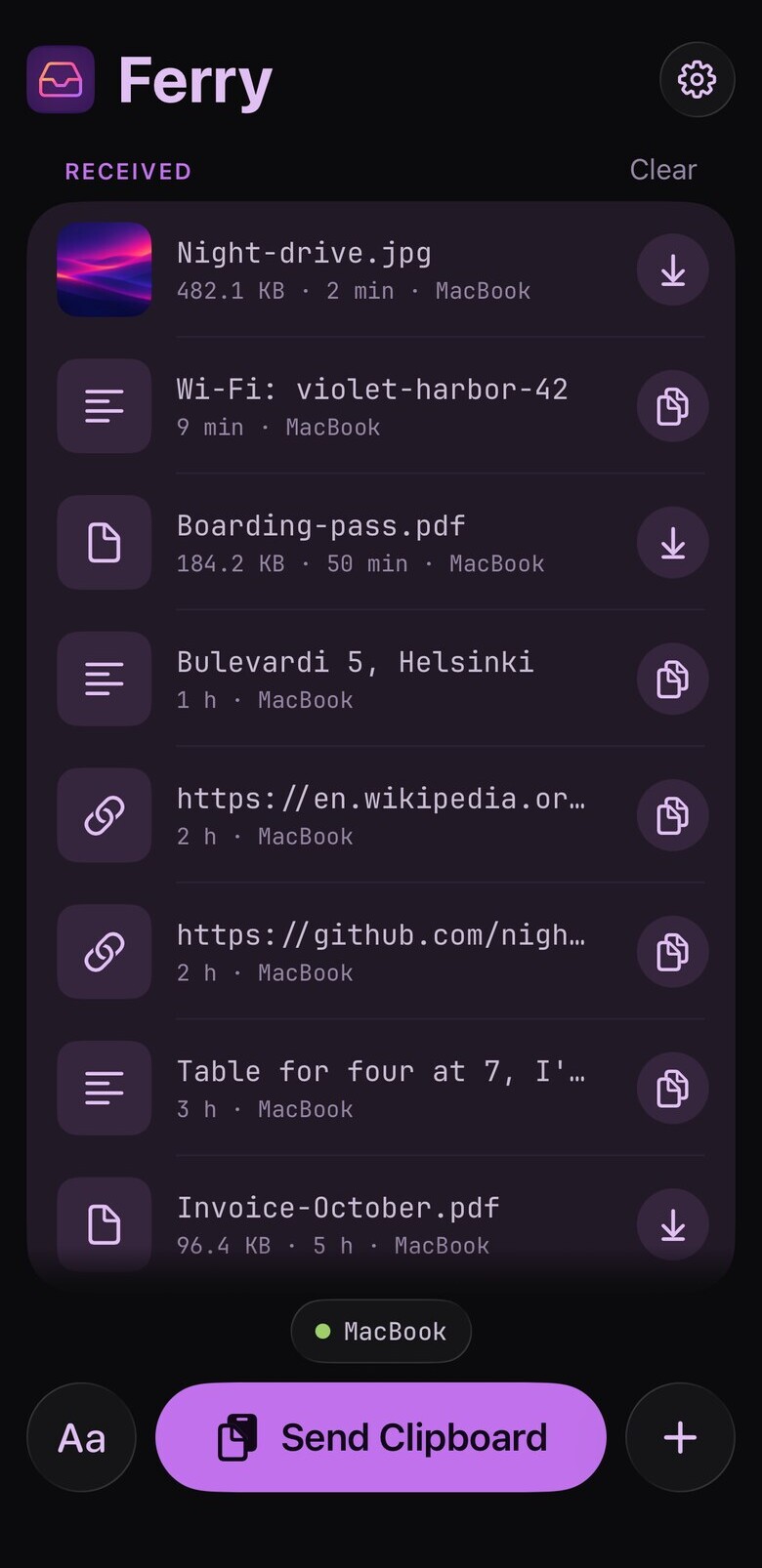
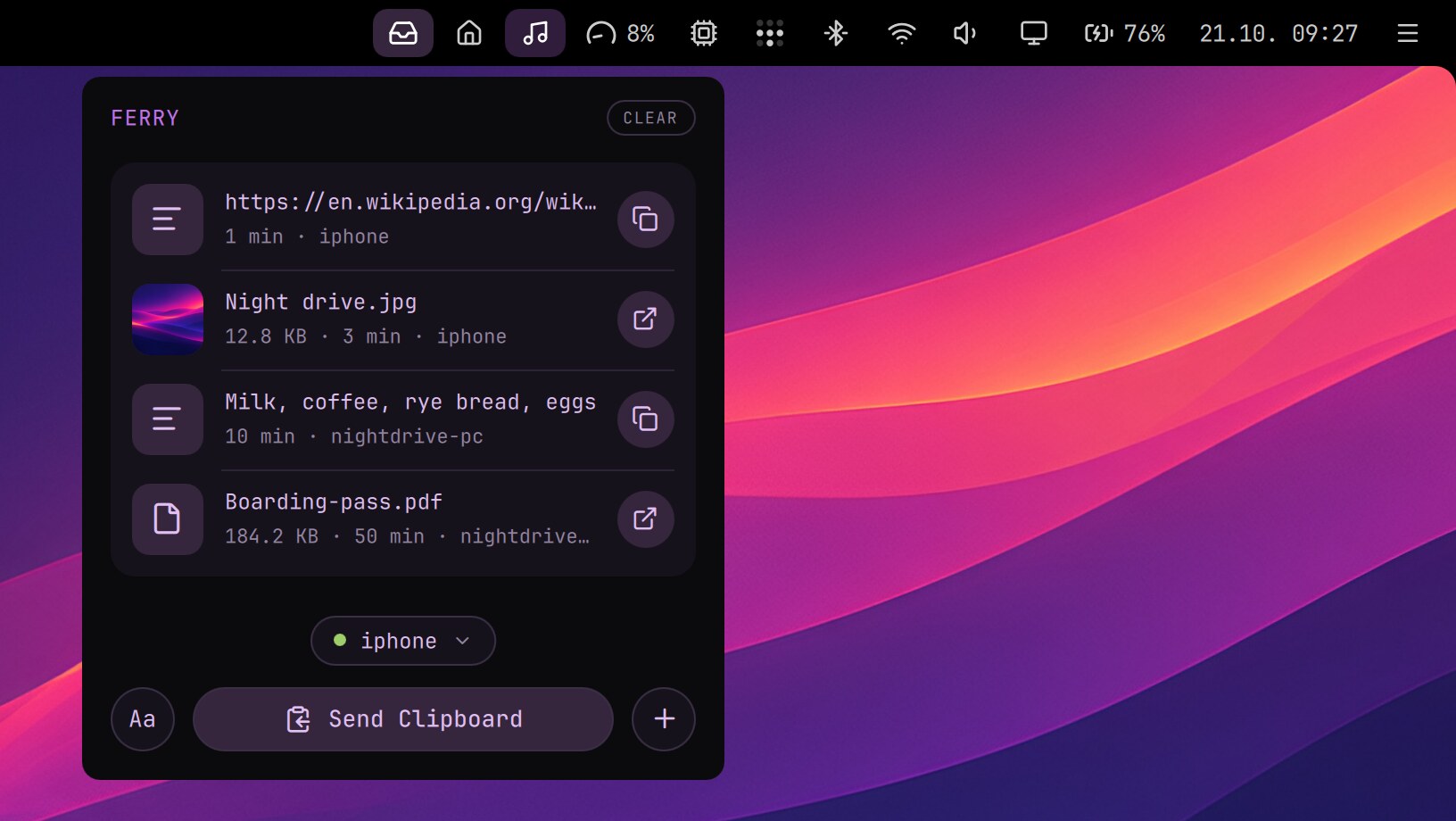
Copy a code on the phone, press Send Clipboard, paste it on the computer. The computer's Send Clipboard works the same way, and on the phone it's one tap from the clipboard.
 Ferryby Nightdrive
Ferry moves text, links, photos, files and the clipboard between your iPhone, your Mac and your Linux computers, over your own Tailscale network. Send something from one device and pick it up on the other: what a computer sends waits in its box until you get to it.
WHY FERRY?
Ferry is for what you move between your own devices all day: the clipboard, a link, the note you wrote on the phone, the file you want with you when you leave.
Copy a code on the phone, press Send Clipboard, paste it on the computer. The computer's Send Clipboard works the same way, and on the phone it's one tap from the clipboard.
Each computer keeps a box. What you leave there waits until your phone or another computer picks it up.
The phone hears when something arrives, even with Ferry closed. The notification is encrypted on your computer, so no one in between can read it.
Ferry is in the iPhone's share sheet. On the Mac, drop files on its menu bar icon; on Linux, right-click them in the file manager and pick Send with Ferry.
HOW IT WORKS
Ferry runs on your computers, and each one keeps its own box. The phone talks to them straight over Tailscale, and computers send to each other the same way. Nothing you send passes through a server of ours.
Only the devices signed in to Tailscale as you can reach Ferry: not the internet, and not other people on a shared tailnet. Ferry trusts everyone who can use the computer it runs on, so it suits a computer that is yours alone.
GET FERRY
Ferry is free on every platform. Put it on at least one computer: the phone talks to the computers, and the computers to each other. It's in public beta: tell us what works and what doesn't.
iOS 26
Send and receive, the clipboard, notifications, and Ferry in the share sheet. The beta is on TestFlight, the App Store comes with 1.0.
TestFlightmacOS 26
Lives in the menu bar: drop files on the icon, see what arrived, send the clipboard. Updates itself.
Download .dmgUbuntu · Debian · Fedora · Arch
A window and a tray icon. GNOME, KDE and others, Wayland or X11. Run this in a terminal:
curl -fsSL https://nightdrive.sh/ferry/install | bash On an Android phone, a computer running Ferry for Linux serves a web page that does the same in the browser.
SETUP
Ferry rides on Tailscale, a free private network between your own devices. If you already use it, you're halfway there.
https://computer.tailnet.ts.net/ferry/,
for your devices only.SUPPORT
Write to us and tell us which devices you have. Ferry is open source, so you can also read exactly what it does. Ferry is in beta, so tell us what works and what doesn't.