Overview
A keyboard-driven Hyprland desktop for Fedora, on an Apple Silicon Mac (Fedora Asahi Remix) or a PC. Mac-style ⌘ shortcuts, one launcher for everything, a top bar of thoughtful little menus, and a synthwave look.
Hi, I'm Jari Lehtinen. I've used a Mac for over 20 years. Every year or so I've tried a Linux distro or two, but none of them quite stuck. Omarchy came closest, but I wanted something built entirely around my own preferences and the apps I actually use. In my day job as a web developer, user interfaces and ease of use are at the core of what I do, and that's what I wanted from my desktop too: ⌘ shortcuts, a launcher like Spotlight, a menu bar that just works, only faster and lighter. So I installed Fedora Asahi on my MacBook Pro and built Nightdrive, evening by evening and with a lot of help from Claude Code.
Work in progress. Nightdrive is my daily setup, published so others can use it or borrow from it. It's used every day on a MacBook Pro 14″ (M2 Max) and tested in a virtual machine; PC support is new and not yet tested on real PC hardware. Feedback, issues and ideas are very welcome.
Why Nightdrive?
Hyprland is a great tiling compositor, but on its own it's a toolkit: no bar, launcher, theme or apps. Nightdrive puts all of that together into one opinionated desktop.
- ⌘ is the main key. ⌘ is the Super key: Command on a Mac, the Windows key on a PC. ⌘C / ⌘V / ⌘X work in every app, including the terminal. ⌘S saves, ⌘W closes, ⌘Q quits, ⌘Space opens the launcher.
- Caps Lock is Hyper, the app key. Hyper + a letter opens an app or brings it to the front: Hyper+B the browser, Hyper+F Files, Hyper+M music. No app uses Hyper itself, so the keys are yours: pick the app for any letter or digit in the launcher (Settings › Keyboard Shortcuts).
- Fits the machine it's on. The installer recognises an Apple Silicon Mac, a PC or a virtual machine and sets it up to match: the keyboard layout you picked when installing Fedora, the graphics driver (NVIDIA too), the display scale. On a MacBook the top bar sits in the notch area, the top-row keys control volume, brightness, the keyboard backlight and dictation, and sleep is tuned for Asahi.
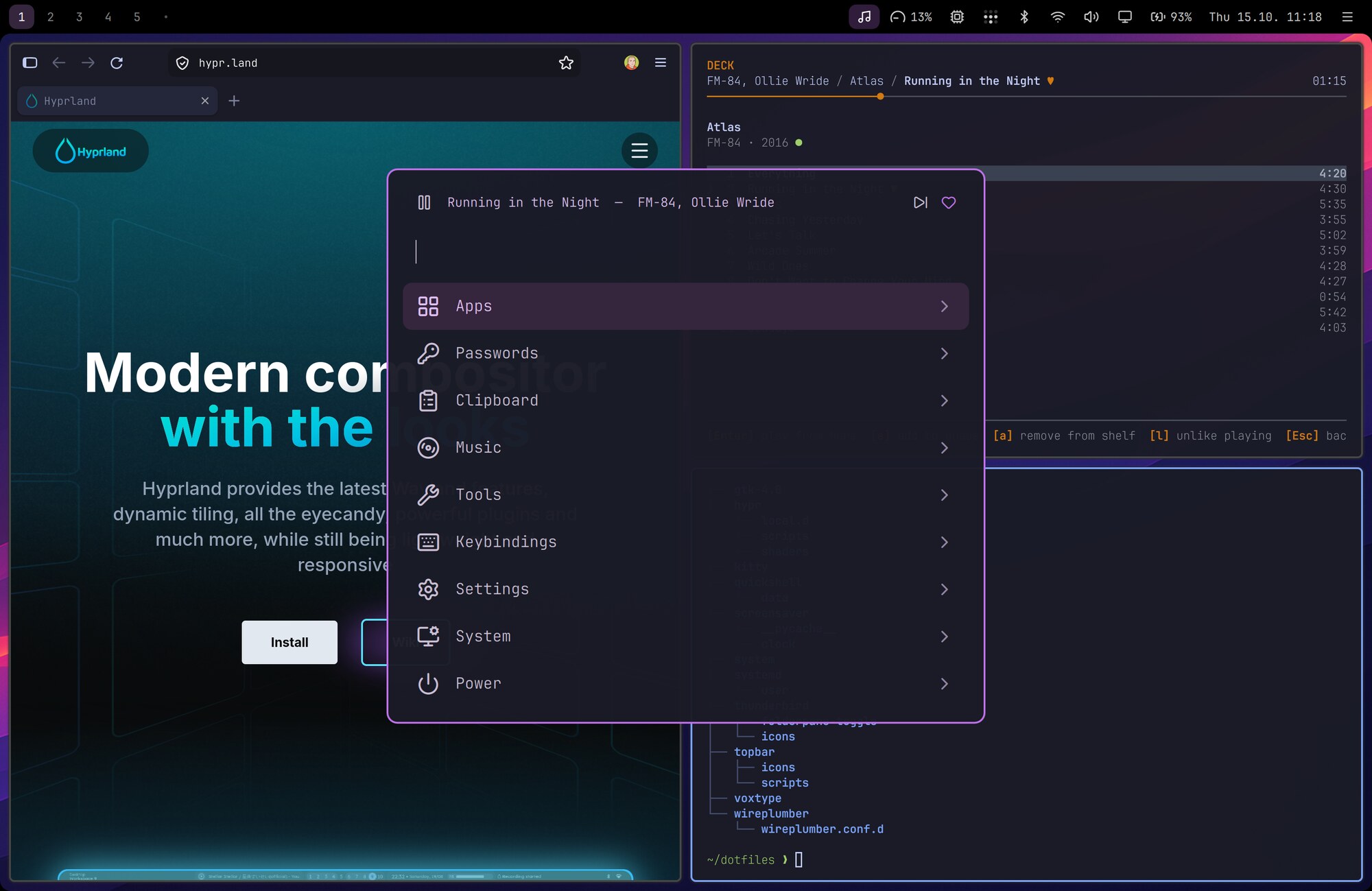
- Everything is a keystroke away. One launcher handles apps, passwords, clipboard history, emoji, screenshots, settings, installing packages and power. You rarely need a terminal for everyday things.
- Simple and readable. Plain config files, a few small scripts, and comments that explain why.
From README.md › #, Why Nightdrive? in the Nightdrive repo