
Deck
Albums on a shelf, again.
A fast, clean Spotify player for whole albums. Keep the ones you love on a shelf, and let Claude recommend new ones, each with the reason it suits you. Kick back and go back to the 80s.
nightdrive apps install deck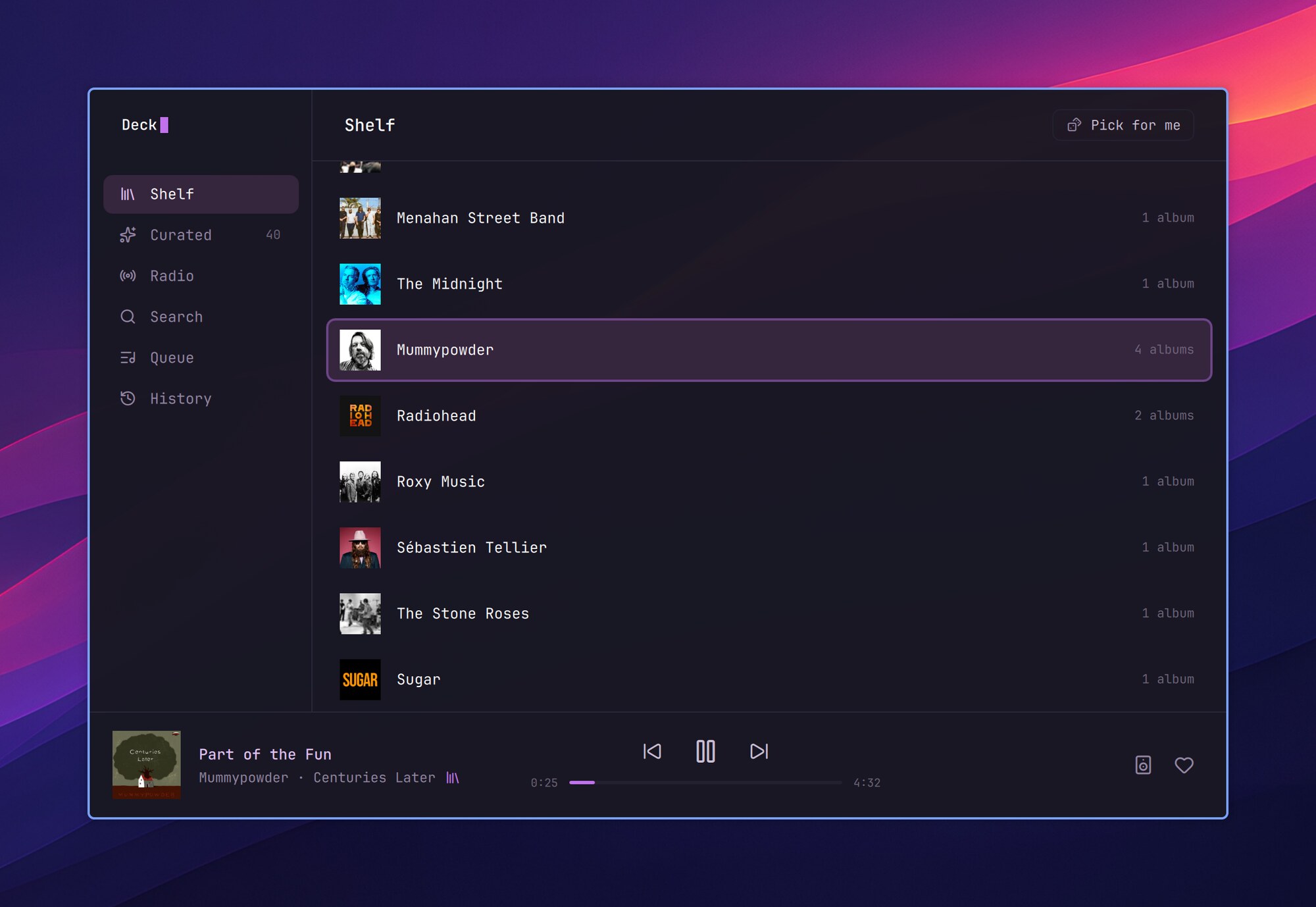
Your albums in the Launcher
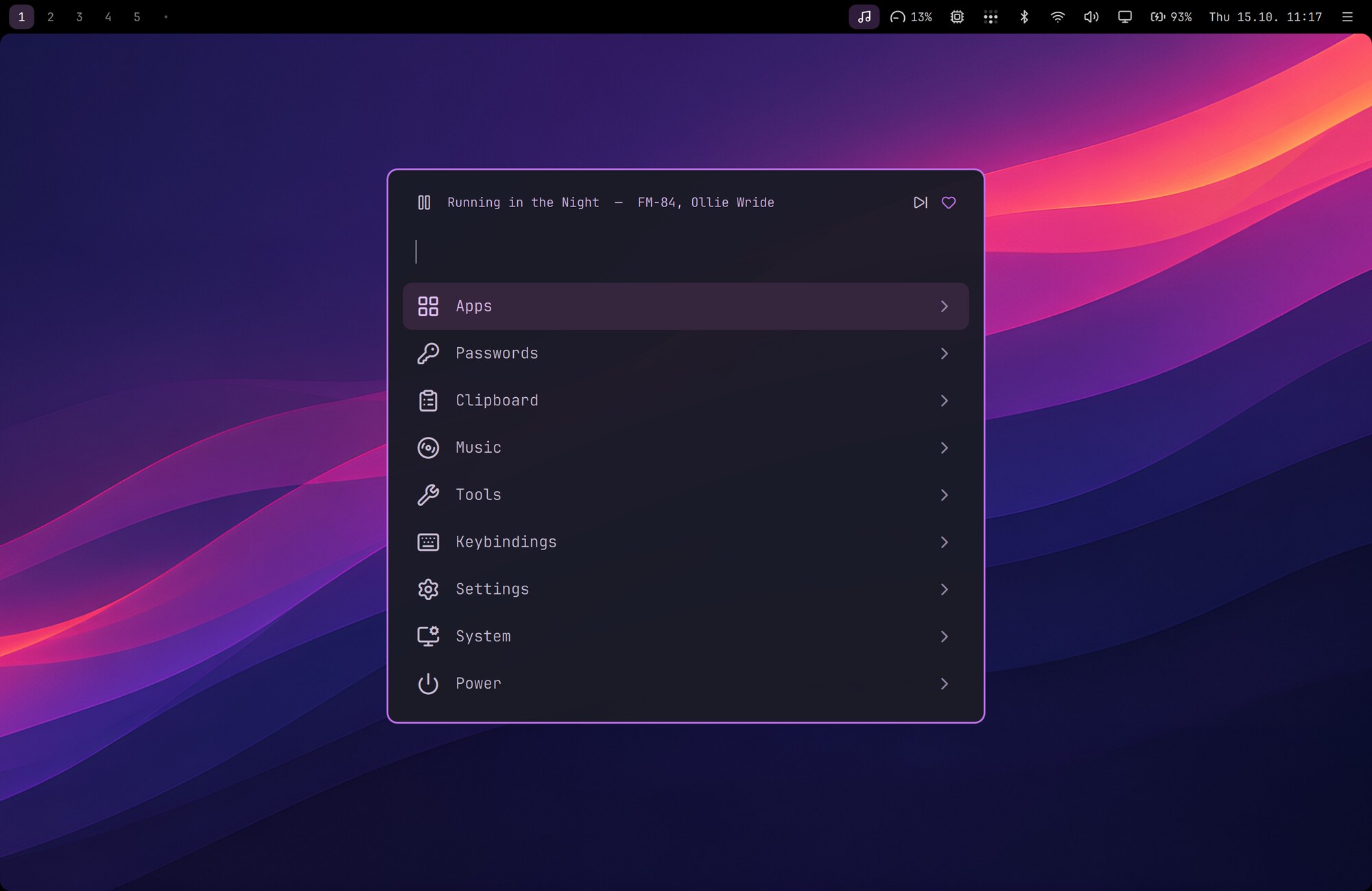
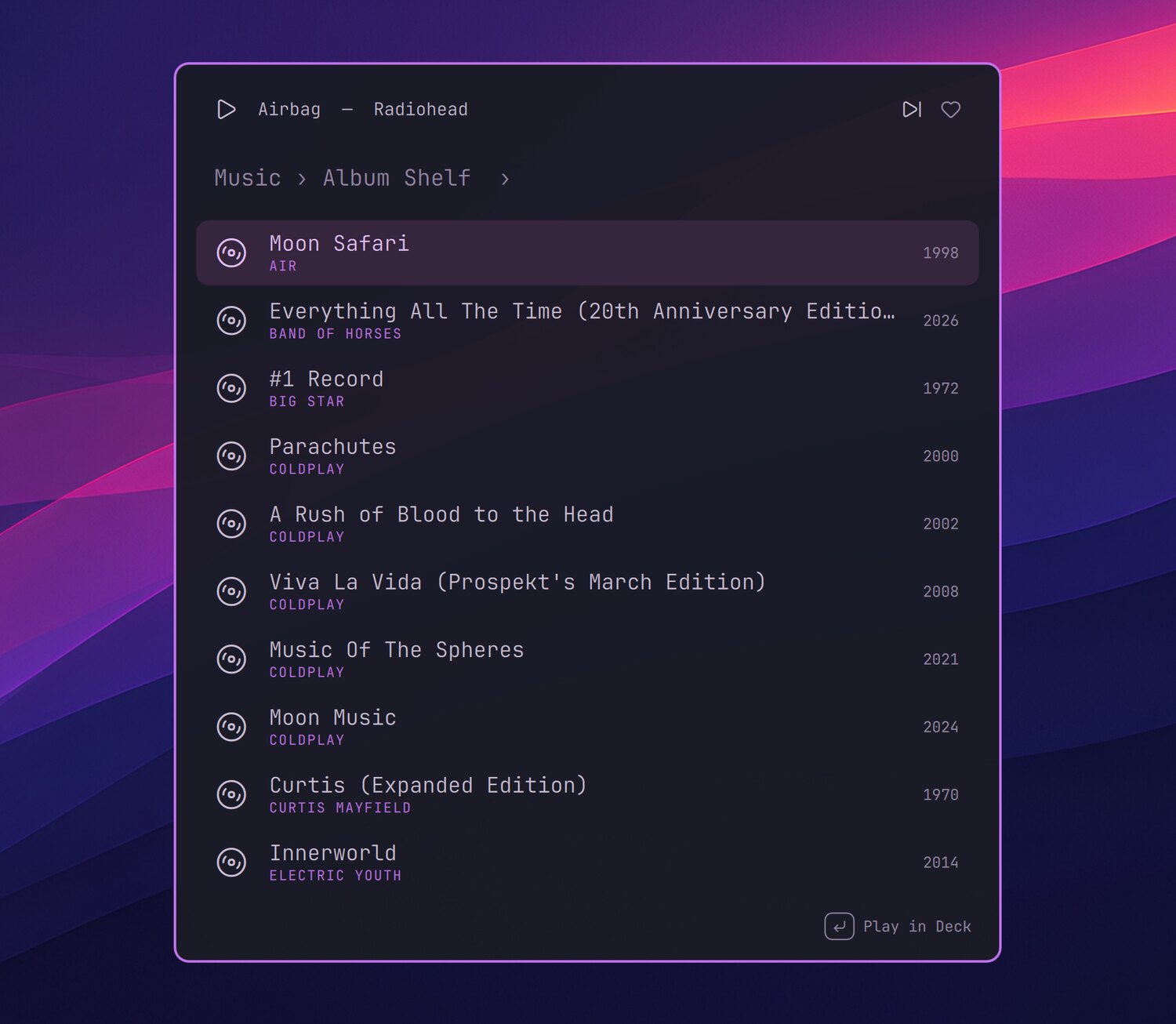
Launcher › Music finds your shelf, Curated and all of Spotify. While music plays, CtrlSpace plays or pauses.
Curated, made by Claude
Albums you haven't heard yet, each with the reason it suits you, from your Last.fm history or a few lines about your taste.
Pick for me
An album from your shelf you haven't played in a while, drawn as from a hat.
A window when you want one
HyperM opens Deck. Close it and the music keeps playing in the top bar.
The Launcher and the top bar
- Launcher › Music: your albums, Curated and Spotify search. Enter plays; a song plays its album from that song. Settings › Launcher › Include Deck artists, albums and songs brings them into the Launcher's own search too.
- While music plays, a player row sits on top of the Launcher, and CtrlSpace plays or pauses.
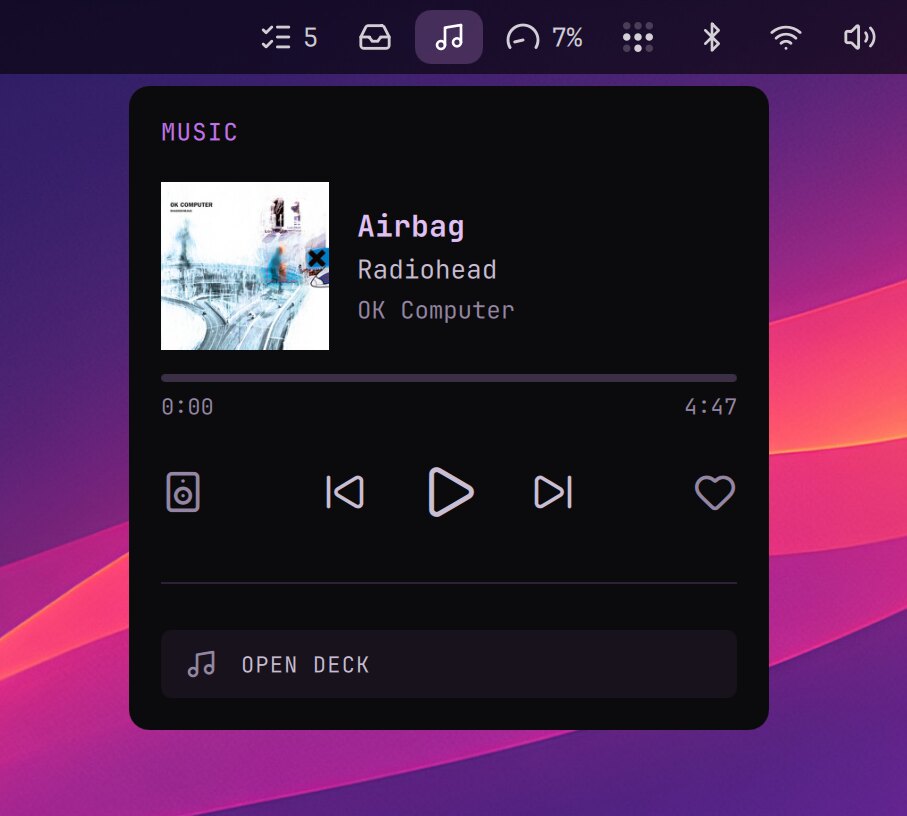
- The music icon in the top bar opens the player: the cover, the controls, the like and the speaker to play on.
- HyperM opens Deck's window. ⌘W closes it and the music keeps playing; ⌘Q quits Deck, the music too.
The window
| ? | Deck's keys |
| ⌘1–6 or Ctrl↑Ctrl↓ | Shelf, Curated, Radio, Search, Queue, History |
| / | Search Spotify |
| Enter | Open an artist or an album, play a song |
| Esc or ⌫ | Back |
| Space | Play or pause |
| ←→ | Previous or next track |
| ,. | 10 seconds back or ahead |
| p | Play the album (or the song) |
| e | Queue the album or the song |
| a | Put the album on your shelf, or take it off |
| d | Remove from the queue; in Curated, Not for me |
| r | Pick for me |
| l | Like what plays |
| n | Open what plays |
| f | A genre to your favourites, or off them |
| o | Where the sound plays |
| ⌘B | Hide or show the sidebar |
- Curated is a list of albums for you, made by Claude Code from your listening (
deck curate, a few minutes on your Claude plan). New list makes a new one when you want; Not for me teaches the next. It shows which you have listened to, and how far. - Pick for me starts an album from your shelf or Curated that you haven't played in a while, drawn as from a hat: one comes again only once the others have played.
- Radio plays Deck's genres, your favourites first, and your own (
deck genre add). - History lists the albums you played in the last 30 days.
- The music plays in
deck serve, Deck without its screen; the window only talks to it.deck tuigives you Deck's own screen in a terminal.
Setting up
Deck comes as the deck package from Nightdrive's COPR (aarch64 and x86_64), and nightdrive update updates it; where there is no package, it is built from source. It needs the Client ID of your own free Spotify developer app: Deck's README shows how.
Curated needs that Spotify app too, and something to go on: your Last.fm listening history (an account that records your Spotify listening, and its API key in Deck's config), or a few lines about your taste in ~/.config/deck/taste.md (Deck's README › Setting up Curated).
Deck's first start offers Set up with Claude: Claude Code goes through what is missing with you a step at a time, and without Last.fm, talks with you about the music you like and writes it down. deck-window setup, Curated's button and Welcome to Nightdrive (Launcher › System › Set up Nightdrive) do the same. Sign-ins happen only in your browser.
In a terminal
| Command | What it does |
|---|---|
deck | Opens the window |
deck tui | Deck's own screen in the terminal, when no other Deck runs |
deck ctl pick | Pick for me |
deck curate | A new Curated list |
deck-window quit | Closes the window and stops the music |
deck-window restart, log | After a change to the window (app/), and its errors |