
Garage
Optional
Sit down. Relax. Break things. Roll back.
Virtual machines from a ready-made Fedora image or any ISO, fast enough to forget they're virtual. Take a snapshot before you try something, and go back if it went wrong.
nightdrive apps install garage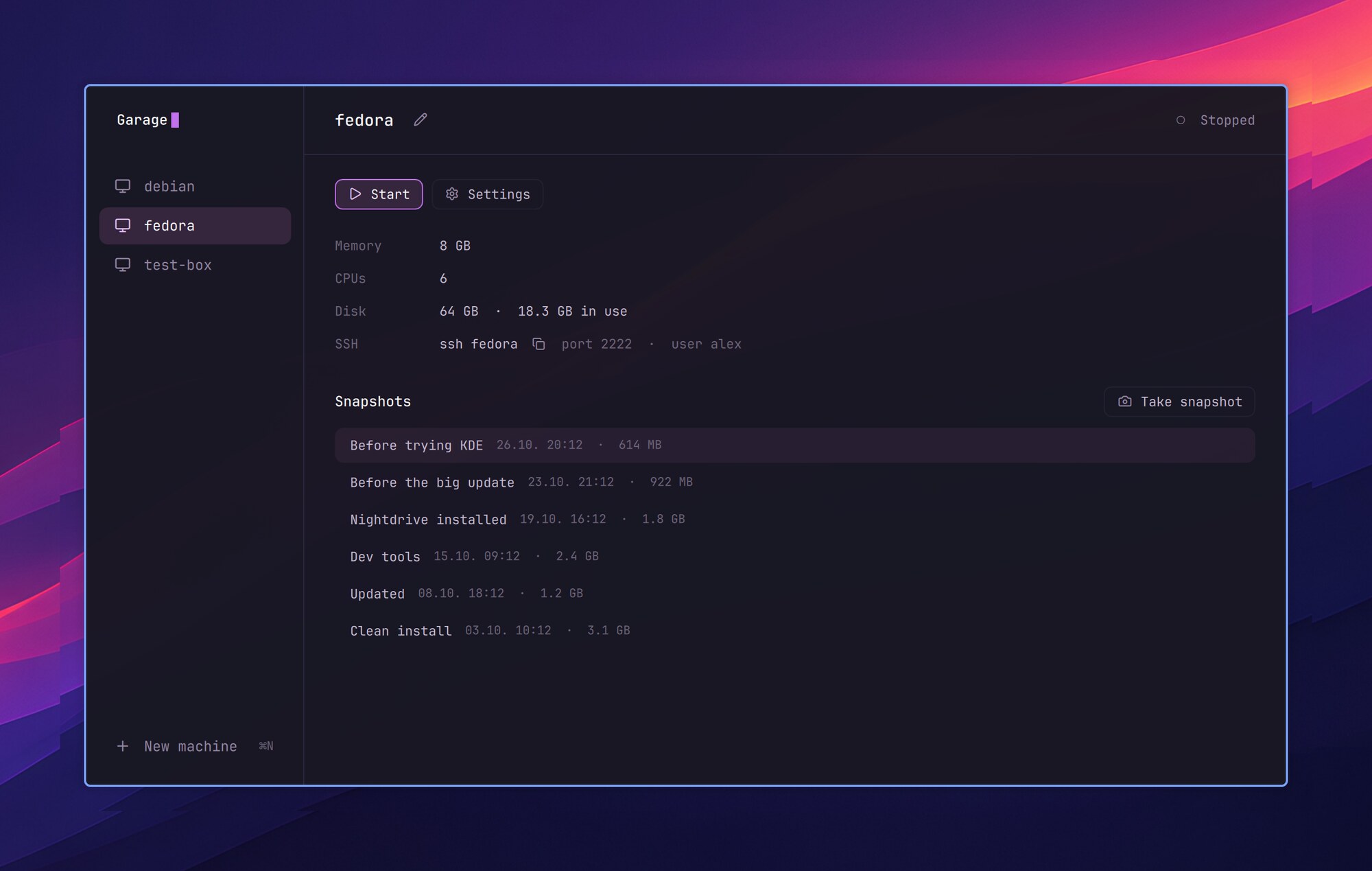
Ready in a minute
A ready-made Fedora image needs no installer: its first boot makes your user, with sudo and your ssh key.
Snapshots
Take one before you try something, and go back to it if that went wrong. A duplicate takes no space of its own.
Nearly native speed
qemu with KVM: aarch64 VMs on an Apple Silicon Mac, x86_64 on a PC.
ssh my-new-vm
Each running VM has its own port, and Garage keeps your ssh config up to date.
Using it
| HyperG | Open Garage |
| ? | Garage's keys |
| ⌘N | New VM |
| s | Start |
| d | Show its display, or bring it to this workspace |
| x | Shut down |
| ⇧X | Pull the plug |
| t | Take a snapshot (VM stopped) |
| Enter | Go back to the snapshot |
| ec | Rename or duplicate the snapshot |
| Delete or ⌘⌫ | Delete the snapshot |
| ⌘, | Memory, CPUs, disk, ISO and ssh user of a stopped VM |
| F2 | Rename a stopped VM |
- A ready-made image (Fedora 44 Minimal on a Mac, Cloud Base on a PC) needs no installer: its first boot makes your user, with sudo and your ssh key. Or pick an ISO from Downloads (or ~/vm).
- The top bar's garage icon lights up while a VM runs; a click lists your VMs to start or show.
- Nightdrive in a VM follows its window's size, as in UTM and Parallels, at scale 2 until you pick another in its Settings › Display.
- A snapshot's duplicate shares its space on the disk. Beside each snapshot is the space it alone keeps.
ssh NAMEreaches a running VM: each has a port of its own, kept in ~/.ssh/config.d/garage (Garage addsInclude config.d/garageto ~/.ssh/config).- Your VMs live in ~/.local/share/nightdrive/garage, and stay there if you remove Garage.
- A VM reaches your computer's local services too: 10.0.2.2 in it is the host's 127.0.0.1. Keep that in mind before running something you don't trust in one.
In a terminal
| Command | What it does |
|---|---|
garage | Opens Garage, or brings it forward |
garage list | The VMs, one line each |
garage start, stop, kill, display, hide [NAME] | A VM by its name, or the only one there is |
garage ssh [NAME] | ssh NAME: a shell in it, or a command after its name |
garage rename-vm NAME NEWNAME | A new name for a stopped VM, its ssh name too |
garage set NAME user USER, port N | Its ssh user, or another port (if something else has its own) |
garage help | Everything else: create, snapshot, restore, delete… |
garage install, uninstall | Garage among your apps, or out of them (the VMs and qemu stay) |
garage restart, quit, log | After a change to Garage, and its QML errors |