Nightdrive 0.6 Afterglow
Afterglow. Claude writes in any app, five apps of Nightdrive's own, Welcome to Nightdrive, and an installer that asks nothing, on Fedora Minimal. The whole story is on nightdrive.sh.
- Claude writes (⌘⇧C): select a rough draft or a few notes in any app and press ⌘⇧C. Claude writes it out in a tone that fits the place, in your language, and shows it on a card: Enter puts it in place, ⌘⇧C writes another version, Esc cancels. With nothing selected, it asks what to write and puts it at the cursor. In a Claude Code session it writes your prompt, and in a terminal (turn it on in its settings) the command, which runs only when you press Enter. Only what you selected is sent, never from a password manager or a private window, and Claude gets no tools, not even your MCP servers or claude.ai connectors. Settings › Claude writes sets the model and your own instructions.
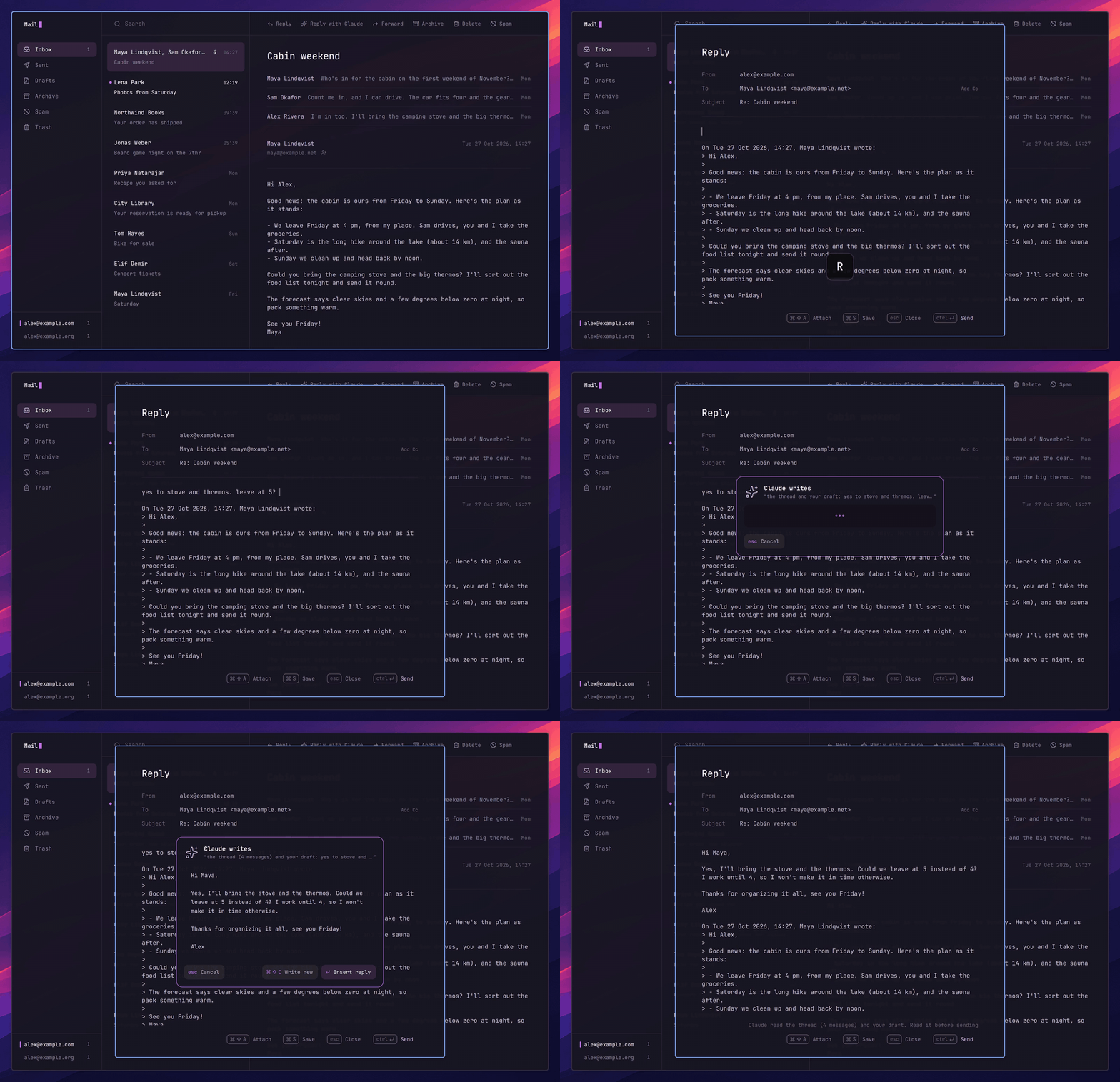
- Claude needs a Pro or Max plan. Claude writes, the reply in Mail, Deck's Curated and the setup in Welcome to Nightdrive work through Claude Code, which needs one. Everything else works without Claude.
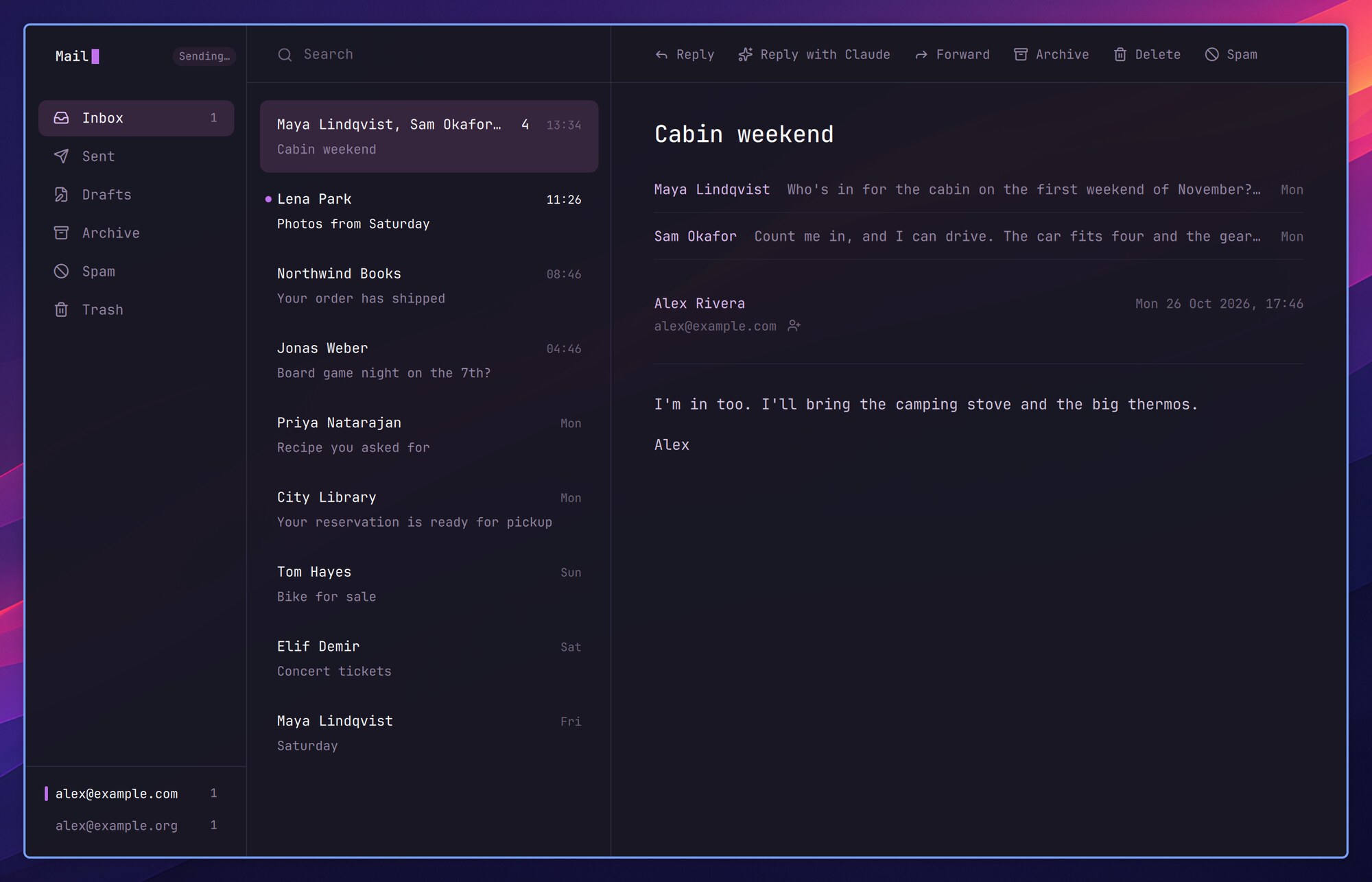
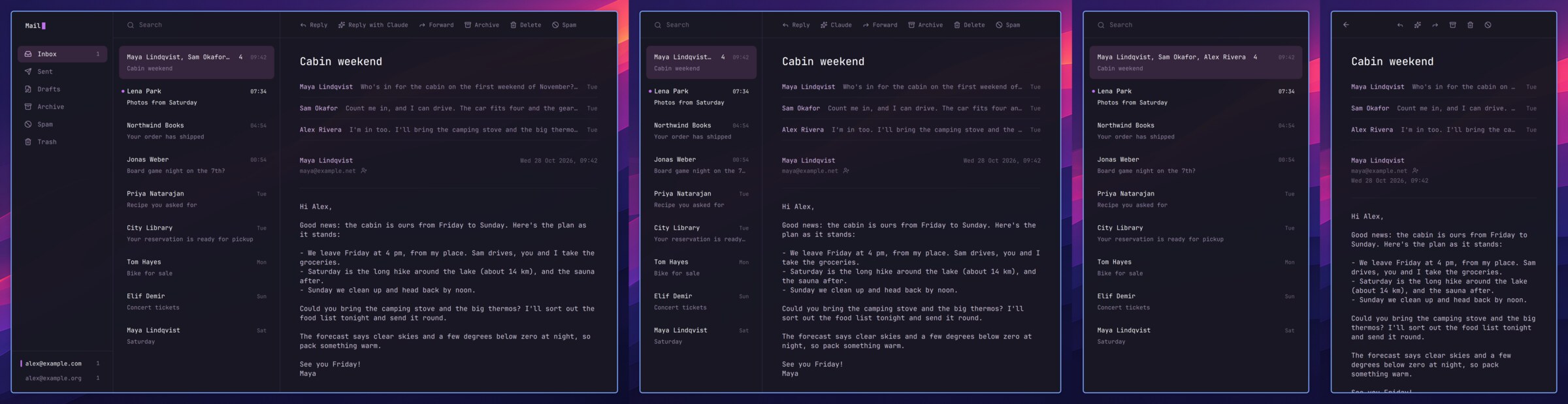
- Mail, Nightdrive's own mail app: any IMAP account, several at once, your mail kept on your computer, new mail within seconds as a notification you can answer from (Reply, Reply with Claude, Archive, Delete). Made for the keyboard (? shows the keys; on a PC the ⌘ keys are Ctrl). Sending goes on in the background, and a message that can't be sent waits in Drafts. ⌘⇧C on a message has Claude write the reply. Remote images stay off, ⇧H opens a newsletter in your browser without loading anything from the network, and only web and mail links open from a message.
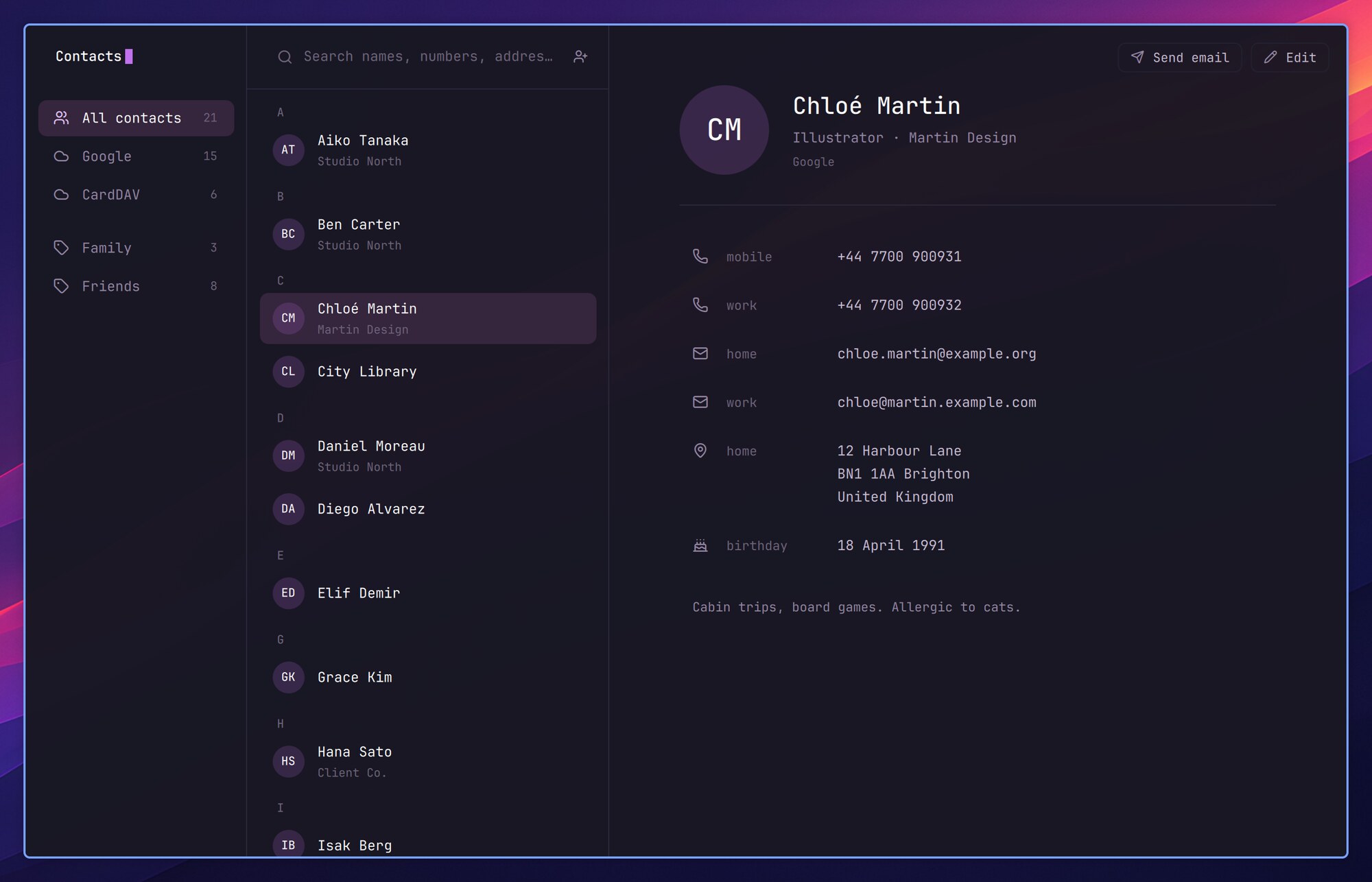
- Contacts, Nightdrive's own contacts app: your contacts from iCloud, Google or any CardDAV server, kept in sync both ways. Add, edit and delete, with the change on your phone at once; a contact changed on both sides is merged a field at a time. Mail completes addresses from it, and the Launcher finds people by name, company or number.
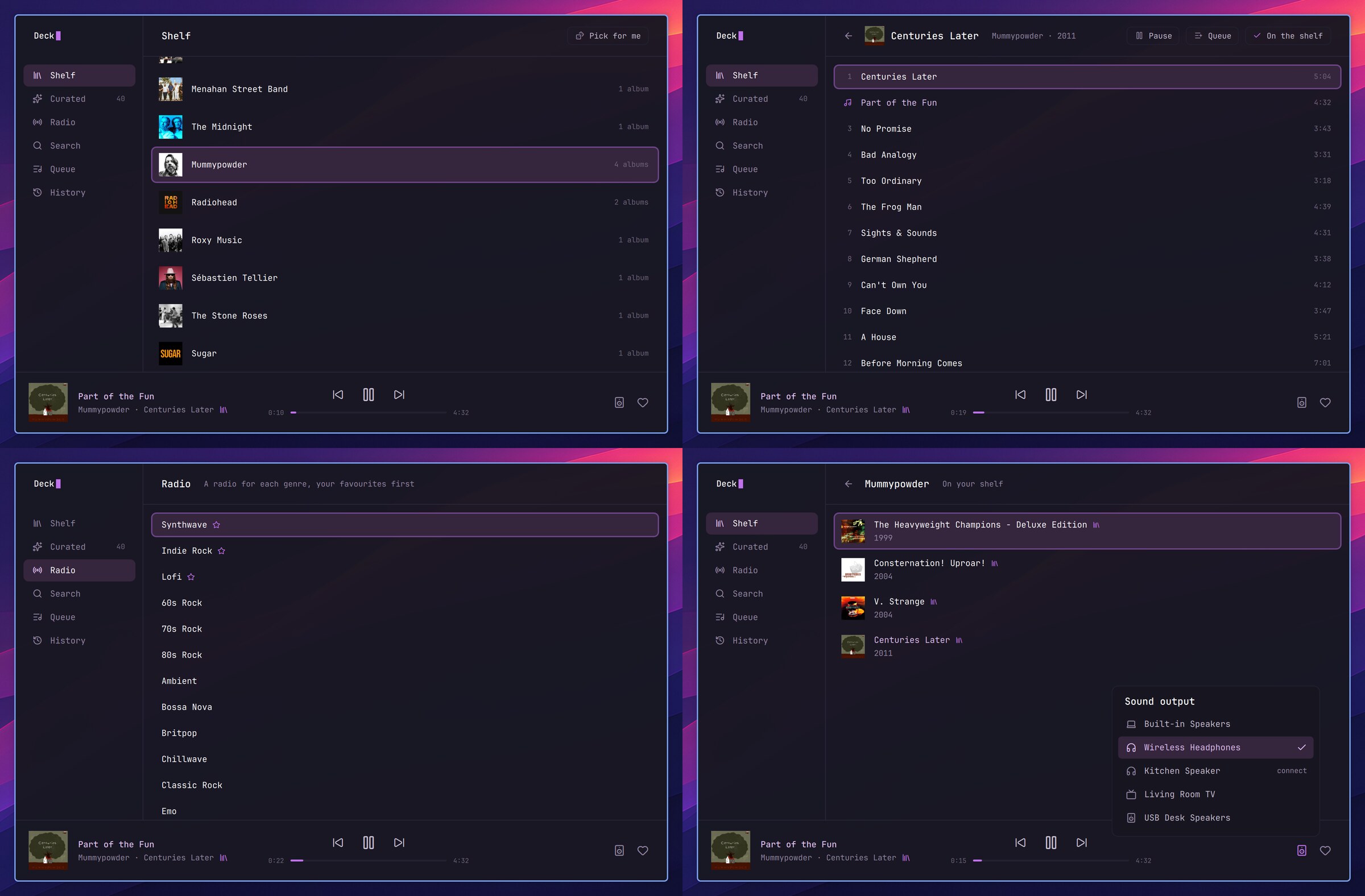
- Deck has a window (HyperM): your albums on a shelf with their covers, Curated, a radio for each genre, Spotify search, the queue and History, with the player along the bottom and the speaker to play on. Pick for me chooses an album you haven't played in a while. Deck now installs as a package (no more compiling), and Deck 0.1.1 fixes a player that went silent after Pause.
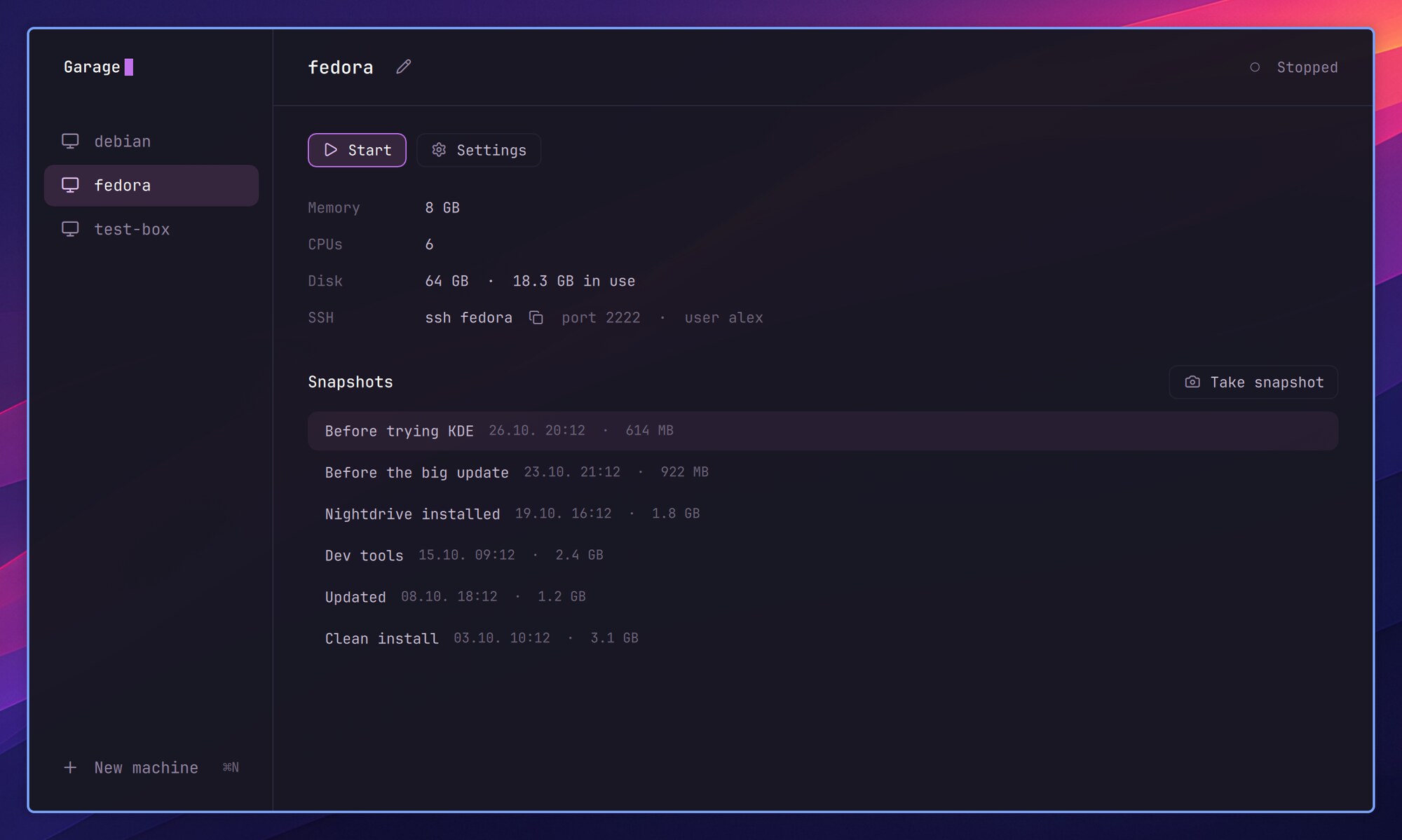
- Garage, virtual machines in a window (HyperG; add it from Launcher › System › Install › Recommended): a new machine from a ready-made Fedora image or an ISO, snapshots to go back to (duplicating one takes no space),
ssh NAMEinto a running machine, and the top bar's icon while one runs. Nightdrive in a VM fits itself to the window's size.
- Any window, any size: Nightdrive's apps fit the window they're given. Tiled narrower, the sidebar steps aside; narrower still, the list and the message take turns (Enter opens, Esc goes back).
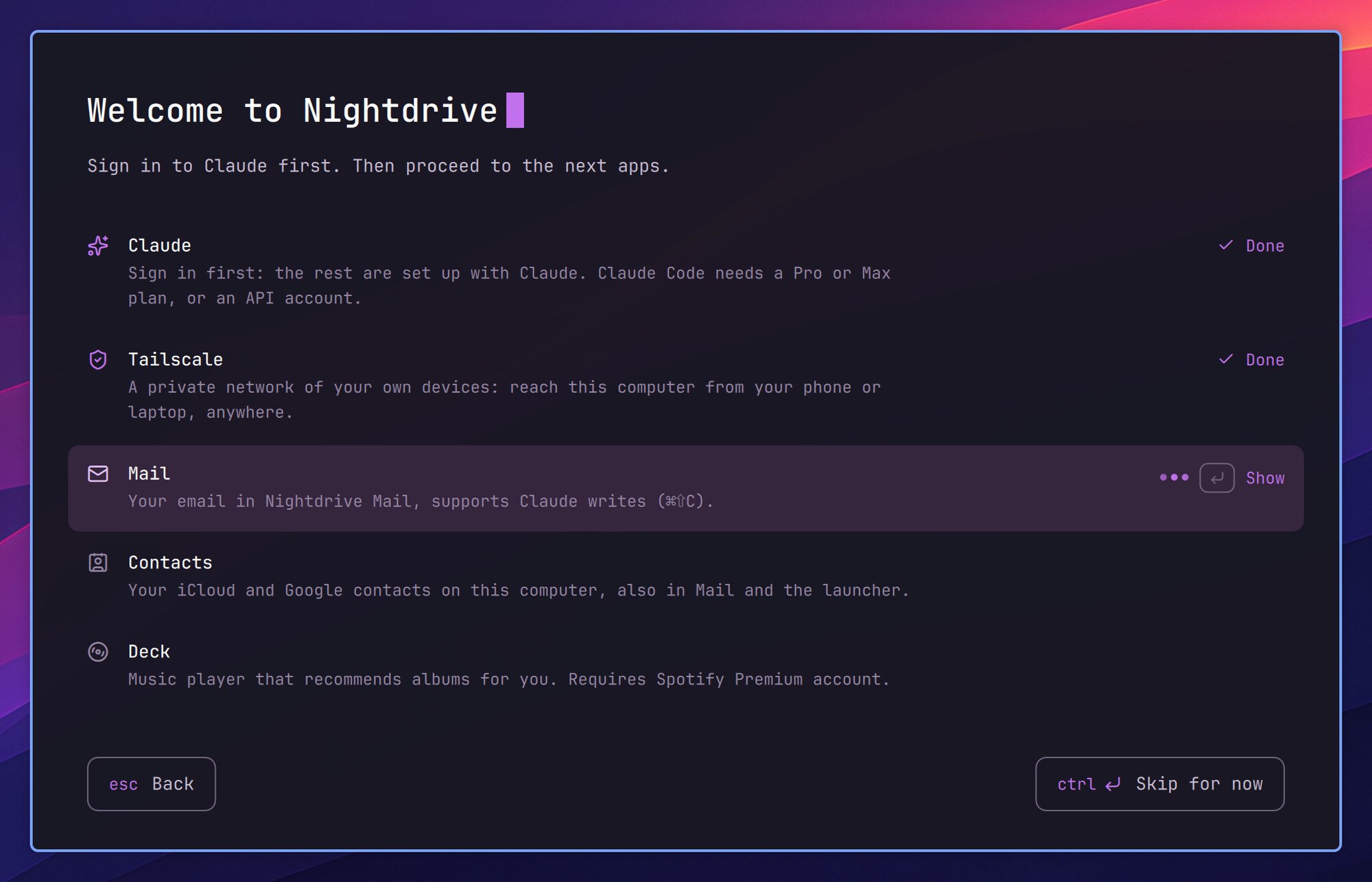
- Welcome to Nightdrive opens at your first login on a new install: with Claude, it sets up Tailscale, Mail, Contacts, Deck and Ferry with you, each in a session of its own; without, it shows each one's steps in plain words. Launcher › System › Set up Nightdrive opens it again.
- Installing: the installer asks nothing. Claude Code, Tailscale, Mail, Contacts, Deck and Ferry come with every install (
--chooseto pick), Firefox is themed from its first start, and Apostrophe comes along. The recommended base is now Fedora 44 Minimal. An install on Fedora KDE goes on as it is;nightdrive minimalturns it into Minimal, Macs too (--dry-runfirst). - The Launcher is a calculator:
3*8,15% of 80,5 km in miles,100 eur in usd; Enter copies the answer. ⌘⇧V in a Launcher text field pastes from the clipboard history, and System › About Nightdrive shows your version and computer. - Keep Awake (a new plugin): a coffee cup in the top bar keeps the computer awake, lid closed too, until you turn it off or for 1–8 hours.
- Nightdrive's own system sounds: volume steps, screenshots, the charger, devices in and out, a wrong password, lock, log out and shut down. Settings › Notifications turns them off.
- Ferry, one of Nightdrive's apps: a mailbox between your computers and your phone, now an app of its own in public beta for Linux, the Mac and the iPhone (TestFlight; another phone uses its page on the Home Screen). It comes with every install, lives in the top bar and takes Nightdrive's colours. Settings forgets a device you no longer use, and codes and passwords leave the box after 15 minutes and stay out of the clipboard history. On another Linux computer:
curl -fsSL https://nightdrive.sh/ferry/install | bash. - Also new:
- Dictation on a PC: hold Insert (on a Mac F5 or Fn, as before).
- The Teams web app opens with HyperT, like Slack and WhatsApp.
- Snippets can have several lines (ShiftEnter).
- Ctrl+click on a file path in the terminal opens it; ⌃⌘+click on a link opens it in a floating window.
- Firefox starts with an empty window (Settings › Apps › Firefox; History › Restore previous session).
- The top bar moves icons that don't fit a narrow screen into a … menu, and its logo can be hidden.
- Files, the file picker and other GTK windows take the theme's background like the terminal.
- The Claude icon in the top bar has views to pick with a right click.
- Crash reports can be muted for 15 minutes.
nightdrive ask "…"opens Claude Code in a new terminal with your message.- The documentation is shorter and clearer, with a page of its own for the Mac (what Asahi doesn't do yet) and for trying Nightdrive in a virtual machine on any Mac or PC.
- Safer: Mail checks the mail server's certificate when sending; password prompts always come up on top, in the middle; text from windows and crashed programs reaches Claude only as data; the keyring opens even if the first password after installing was mistyped. The security policy tells how to report a security problem privately.
- Fixes: the screensaver no longer stays on after unlocking; the lock screen comes back by itself if it dies (⌃⌥F3 if it doesn't); the startup sound plays again; the desktop opens on workspace 1 without a laptop screen; the network menu works without Wi-Fi and switches wired profiles; Files previews videos; VS Code's HyperC can be moved; turning crash reports back on works.
- After updating:
nightdrive updateinstalls Mail, Contacts and Ferry once; each stays quiet until you set it up. Removed, they stay removed (Install › Recommended brings them back).- Remote login now works only over Tailscale and on the networks you allow: the one you're on stays allowed, and each new network asks with a notification. Before, SSH was open on every network.
- Garage adds
Include config.d/garageto the top of~/.ssh/configthe first time it runs. - Web apps open other sites' links in your default browser once they're started again.
- Files takes the new look once it's restarted (
nautilus -q). - Mail can no longer send through an SMTP server with a self-signed certificate.