The top bar
Click an icon and a small menu opens under it: sound and output devices, Wi-Fi, Bluetooth, battery and brightness, Tailscale, headphone EQ, system load and temperatures, the calendar, notifications, music, and your Claude usage limits. ⌘⇧Space lets you walk through the menus with the arrow keys.
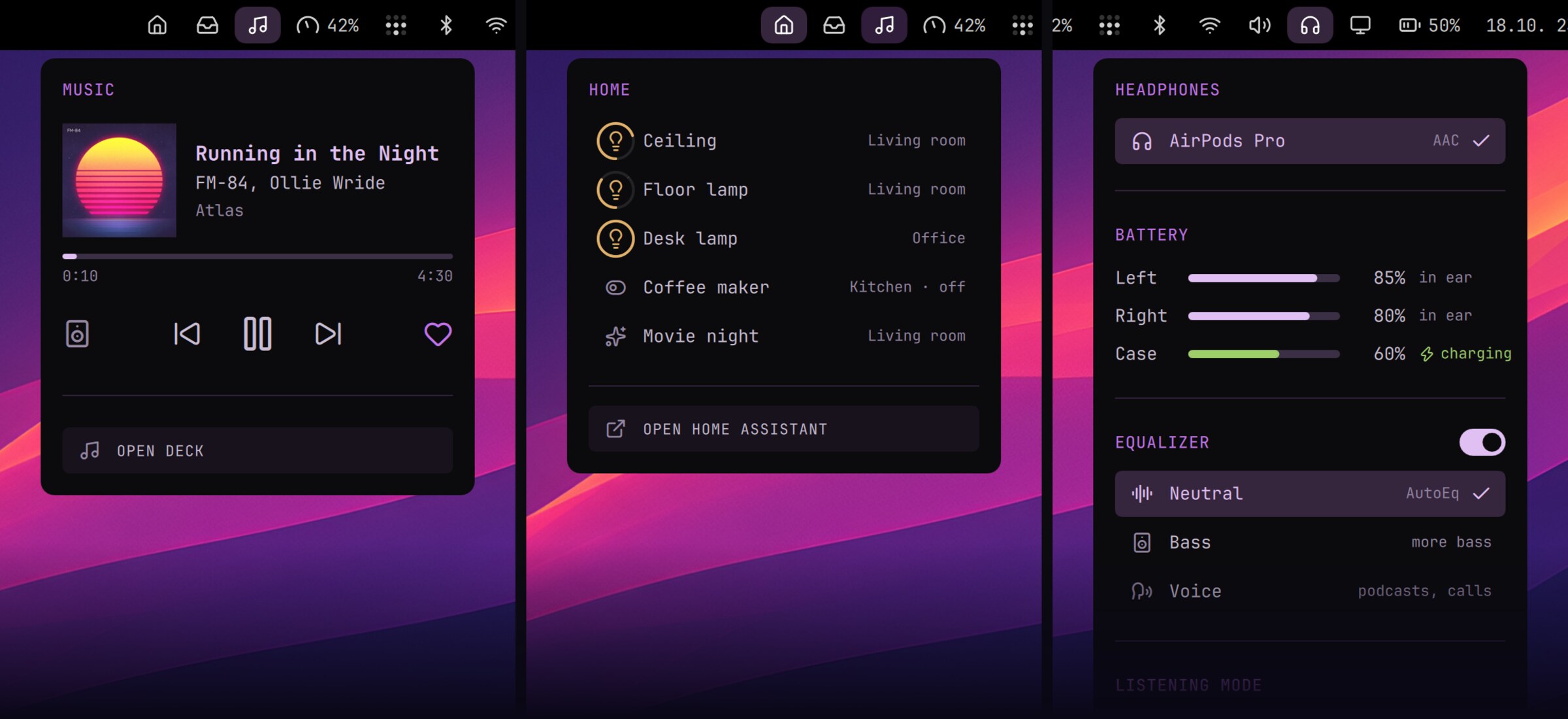
From README.md › Menus you want to click in the Nightdrive repo