Keep Awake
Stay awake. For a movie, a talk, a long download.
Keeps the computer awake while you need it: watching, presenting, a long download. No screensaver, lock, screen-off or sleep, for a few hours or until you turn it off.
nightdrive plugins install keep-awake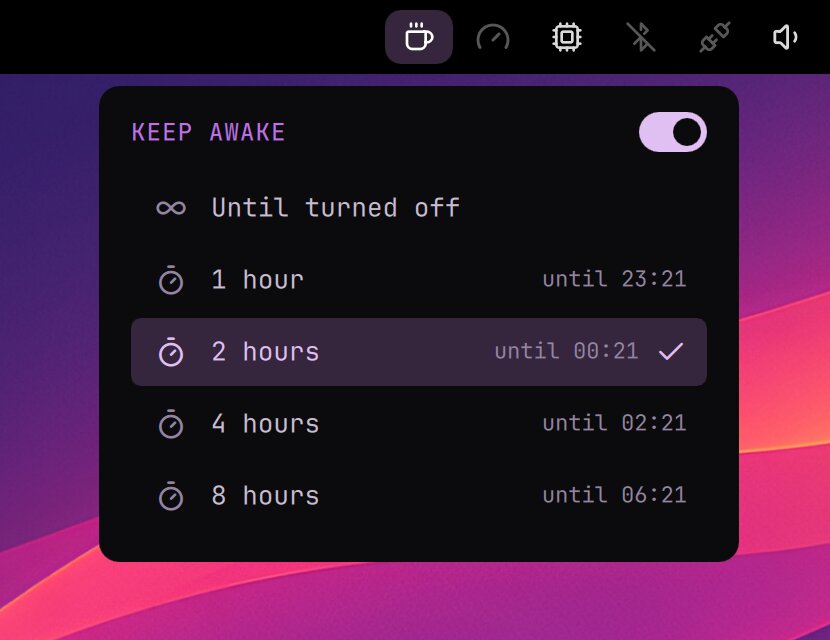
- The coffee cup in the top bar is lit while Keep Awake is on. A click opens its menu: until turned off, or 1, 2, 4 or 8 hours. A right click turns it on or off.
- In the Launcher: Tools › Keep Awake (or type awake or caffeine).
- Closing the lid doesn't put the computer to sleep either, but choosing sleep yourself still works. Logging out turns it off.
In a terminal
| Command | What it does |
|---|---|
keep-awake on | Keep awake until turned off |
keep-awake on 90 | Keep awake for 90 minutes |
keep-awake off | Back to the usual idle times |
keep-awake status | Whether it's on, and until when |
It's a systemd inhibitor: systemd-inhibit --list shows it as Keep Awake.